
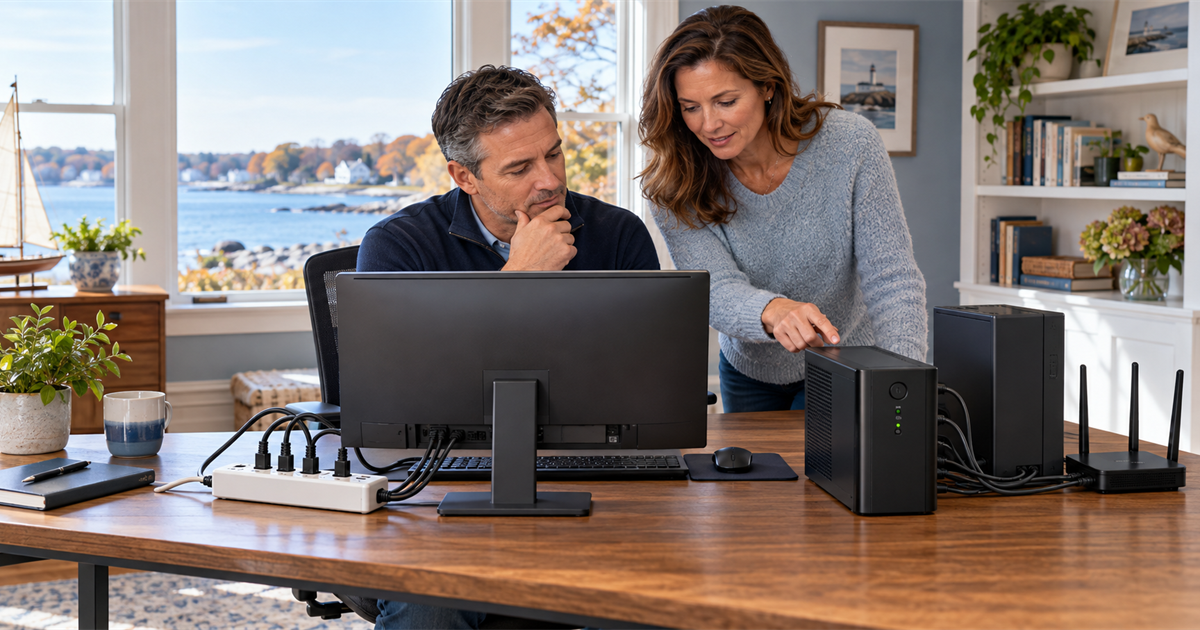
A power strip, surge protector, and uninterruptible power supply can all provide several outlets, but they do not provide the same protection. Choosing the wrong one may leave a computer unprotected—or lead you to pay for battery backup where it adds little value.
For Connecticut Shoreline homes and small businesses, the practical question is not which device is “best.” It is which equipment needs surge protection, which equipment must remain on briefly during an outage, and how much time is actually needed to save work and shut down safely.
Start with the three different products
A power strip adds outlets
A basic power strip is essentially an extension device with multiple receptacles. UL Solutions warns that power strips and surge protectors can look nearly identical. A strip does not automatically protect connected equipment from a voltage surge.
If the packaging and product markings do not clearly describe surge protection, do not assume it is included.
A surge protector limits voltage spikes
A surge protector contains components designed to clamp or divert excess voltage before it reaches connected electronics. It can help protect computers, monitors, televisions, networking equipment, and other sensitive devices from brief spikes.
It does not keep equipment operating when utility power disappears. The computer will still shut off immediately during an outage.
A UPS supplies short-term battery power
An uninterruptible power supply, usually called a UPS or battery backup, switches to stored battery energy when incoming power fails or moves outside the unit’s acceptable range. Consumer models commonly include surge protection as well.
A UPS is not intended to run an office for hours. Its job is usually to bridge a brief interruption or provide enough time to save work and shut equipment down correctly. Runtime depends on the UPS and the total load connected to its battery-backed outlets.
What belongs on a surge protector?
A quality surge protector is often appropriate for equipment that benefits from spike protection but does not need to stay on during an outage. Examples may include:
- A secondary monitor.
- A television or streaming device.
- Desktop speakers.
- Chargers and low-power office accessories.
- A laptop power adapter, since the laptop already has its own battery.
That does not mean every device should be plugged into one strip. Check the electrical rating and follow the manufacturer’s instructions. High-current heating appliances—including space heaters—do not belong on a computer surge protector or UPS.
Look for a product certified by a recognized testing laboratory. UL recommends checking the product’s certification and electrical rating rather than buying solely by outlet count. A lower suppressed-voltage or clamping rating generally indicates that the protector limits voltage at a lower threshold, but ratings should be compared among products built for the same use.
What deserves battery backup?
A UPS makes the most sense when an abrupt shutdown could interrupt work, corrupt data, or take an important service offline. Strong candidates include:
- A desktop computer and its primary monitor.
- A network-attached storage device or small server.
- A modem, router, and essential network switch.
- A business workstation handling active files or transactions.
- A security or smart-home hub that needs time to shut down correctly.
Keeping a modem and router powered may preserve internet access during a short local interruption, but only if the internet provider’s equipment and connection remain available. A UPS cannot guarantee that the wider network stays online.
Printers, laser printers in particular, and other high-draw devices usually should not use battery-backed outlets unless the UPS manufacturer explicitly supports that load. They can consume the limited capacity needed by the computer and network equipment.
How to choose the right UPS size
Do not choose only by physical size or number of outlets. UPS capacity is commonly expressed in volt-amperes (VA) and watts. The connected equipment’s expected load must remain within both limits.
Make a list of the devices that truly need battery power and find their maximum wattage from labels, power adapters, documentation, or a reliable measuring device. Then use the UPS manufacturer’s sizing and runtime information. Leave reasonable capacity for startup demand and future changes rather than operating at the maximum rating.
Runtime is a separate question. A unit that can support the load may provide only a few minutes at that load. Decide whether you need enough time for a controlled shutdown or enough time to ride through a typical brief outage.
Useful features may include automatic voltage regulation, replaceable batteries, periodic self-testing, USB communication with a computer, and shutdown software. For a home desktop, automatic shutdown support can be more valuable than a large display or extra convenience outlets.
Safe setup matters as much as the purchase
Follow the exact instructions supplied with the product. Many UPS manufacturers direct users to connect the UPS directly to a properly grounded wall receptacle—not through an extension cord, power strip, or another surge protector. Do not daisy-chain strips together or cover cords with rugs.
Keep ventilation openings clear and place the UPS where heat can escape. Batteries age, so run the self-test recommended by the manufacturer and replace the battery or unit when it fails testing, reports a fault, swells, leaks, or exceeds the manufacturer’s service guidance.
If outlets are loose, grounding is questionable, breakers trip, cords become hot, or the room depends on multiple power strips because it lacks receptacles, stop adding equipment and consult a licensed electrician. Computer support is not a substitute for electrical inspection or wiring work.
A practical Connecticut setup
For many home offices, a good arrangement is a UPS for the desktop computer, primary monitor, modem, and router, plus a separately placed certified surge protector for nonessential low-power accessories. A laptop-only workspace may need a surge protector for the adapter and a small UPS for networking equipment rather than a large desktop UPS.
A small business should also identify which devices require orderly shutdown, test the UPS under controlled conditions, document who responds to an alarm, and confirm that important data is backed up. Battery backup reduces interruption risk; it does not replace reliable backups, cybersecurity, or a continuity plan.
Lyme PC Repair can help Connecticut Shoreline homes and small businesses inventory equipment, estimate practical UPS capacity, organize safe device connections, configure supported shutdown software, and test computer and network recovery. Electrical wiring, outlet repair, and whole-home surge installation should always be handled by a qualified electrician.